Modules
Why this matters
A module is a record type in ImmCase: Applicants, Cases, Companies, Quotes, Invoices. Almost everything you see in the sidebar is a module. As an administrator, you manage which modules exist, what type they are, in which group they appear in the menu, and what permissions they require.
ImmCase ships with base modules (the ones that come with installation) and allows custom modules your practice creates for particular needs.
Module types
| Type | Purpose | Examples |
|---|---|---|
| Entity | Business modules with CRM records | applicants, cases, quotes |
| Custom | User-created modules for specific needs | orders, products, currencies |
| Extension | Feature extensions | email templates, PDF templates |
| Native | System modules with dedicated tables | SMTP configuration |
| Administrative | System management | users, roles, modules, workflows |
You create custom. The rest ships with the system.
The modules list
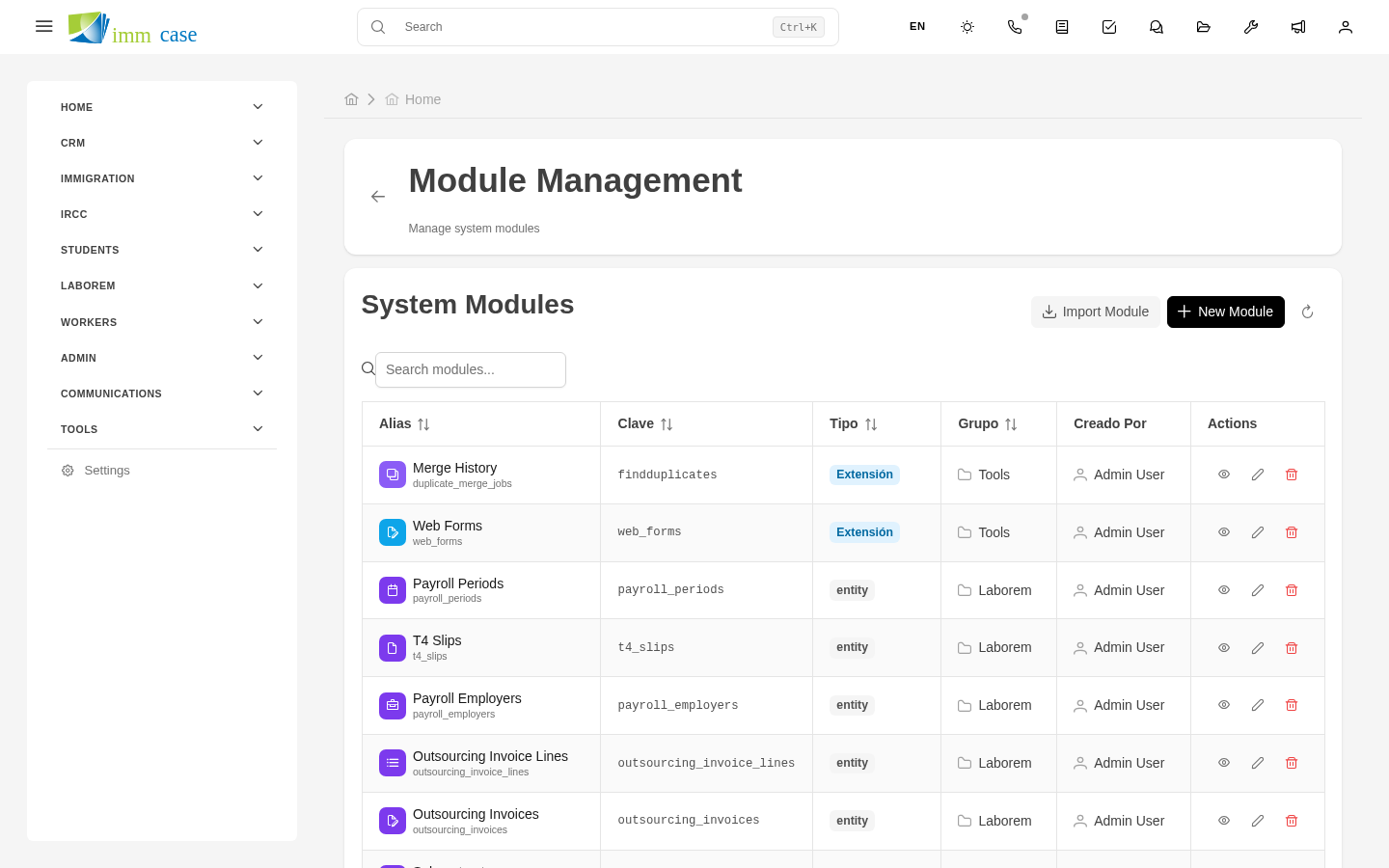
Sidebar → Settings → Modules. You see every module in your practice with:
- Name and Technical key (used in URLs and code).
- Type.
- Group (sidebar menu category).
- Database table.
- Active / Inactive — disabling hides the module from the menu without deleting it.
- Show in menu — whether it appears in the sidebar or is only reachable by direct URL.
Enable / disable a module
- Open the module → Edit.
- Toggle Active or Show in menu.
- Save.
Disabling a module: - Hides it from the menu for every user. - Records are preserved in the database. - Can still be referenced from other modules (a case pointing to an applicant in a disabled module is still accessible from the case).
Module groups
Modules are grouped into sidebar categories:
- CRM — contacts, cases, companies.
- Communication — email, chat, calls.
- Files — manager, templates, eForms.
- Productivity — calendar, reports.
- Settings — the administrative modules.
Create a new group: Settings → Module groups → Create. Assign modules to the group from their individual configuration.
Module permissions
Each module has four basic permissions: view, create, edit, delete. These are assigned via Roles and Profiles, not here.
Here you define module characteristics (what it is, where it appears), not who can use it.
Watch out for
- Don't delete a system module. Deleting can break relationships with other modules. Disabling is the right option.
- The technical key doesn't change. Once created, the module's key (for example,
cases) sticks. Changing it breaks URLs, templates, workflows, reports that reference it. - Custom modules are install-specific. If you migrate to another ImmCase instance, custom ones don't come — you have to recreate them.
Where to next
- Custom modules — create new modules.
- Fields — what fields each module has.