Products and services
Why this matters
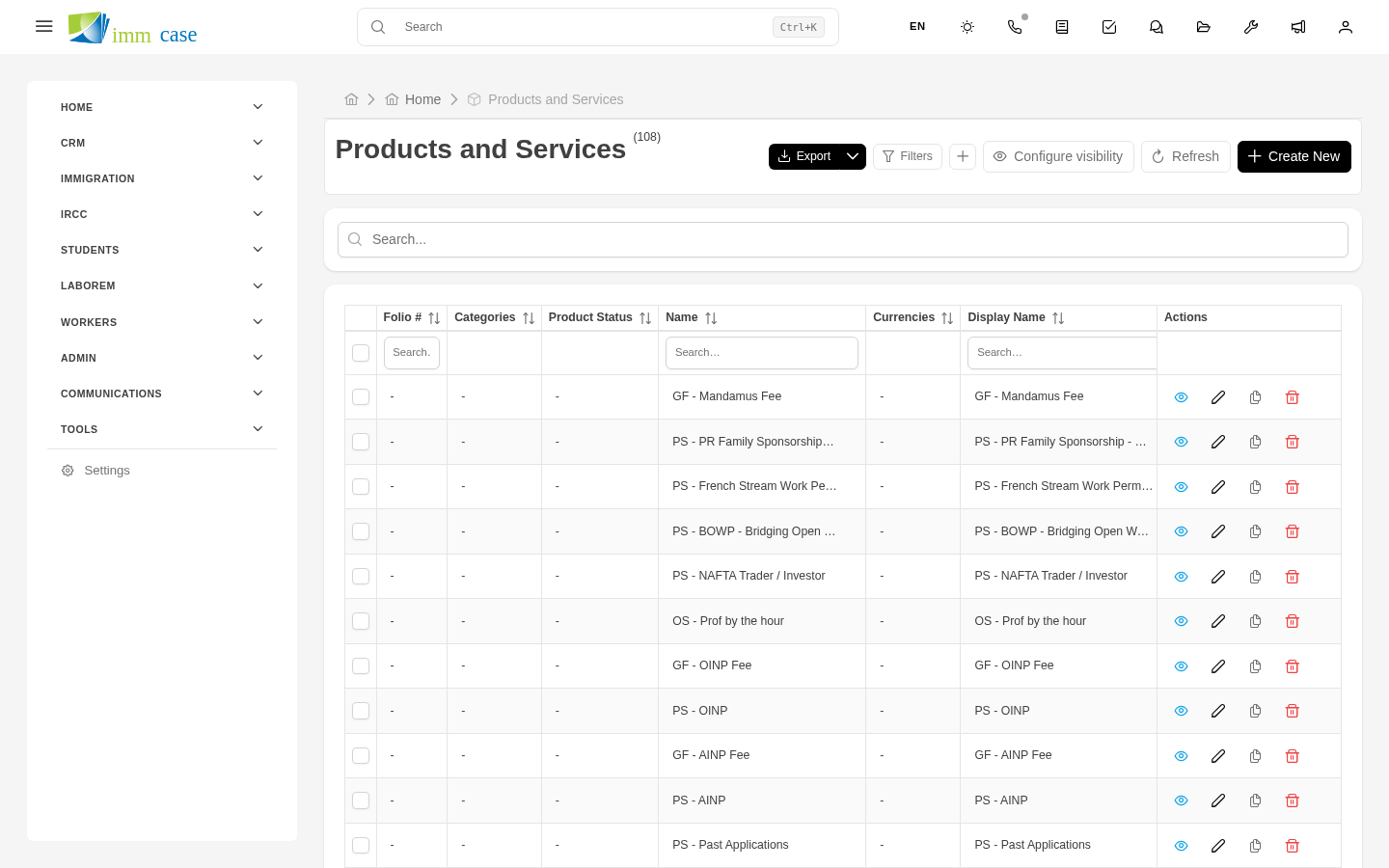
The Products module is the catalog of everything your practice charges for: initial consultation fees, fees by case type, translations, certifications, IRCC fees passed to the client, special packages. When building a quote or invoice, instead of typing each line from scratch, you pick from the catalog and the data is copied: name, description, price, applicable tax.
A well-maintained catalog makes quotes consistent (every consultant charges the same for the same service) and much faster to generate.
Create a product
- Sidebar → Products → Create.
- Fill in:
- Name — short and recognizable (for example, "PR Express Entry fees").
- Description — what the service includes. Appears on the quote/invoice the client sees.
- Unit price and Currency.
- Default tax — the one that typically applies (HST/GST/VAT).
- Type — service, physical product, government fee, other. Some types have different tax rules.
- Code or SKU — optional, useful if you keep external accounting with codes.
- Save.
Use a product in quotes/invoices
When adding a line item to a quote or invoice:
- In the Product field, type part of the name and select from autocomplete.
- ImmCase fills in description, unit price, and tax automatically.
- Adjust quantity and, if needed, discount or special price for this client.
You can mix catalog products with free-form lines in the same document.
Update prices
When you change a product's price in the catalog, old quotes and invoices are not updated. They keep the price from the moment they were generated — correct from a legal and audit standpoint.
New quotes and invoices from that point on use the updated price.
Deactivate a product
When you stop offering a service, don't delete it — deactivate it:
- Open the product → Edit.
- Set the Active field to No (or the equivalent in your configuration).
- Save.
The product stops appearing in autocomplete when building new quotes, but stays visible on old quotes and invoices where it appeared.
Watch out for
- Avoid duplicates. Before creating a new product, search. It's easy to end up with "PR Fees", "Permanent Residence Fees", "PR Fees (express)" as three separate records when they should be one.
- The product price is the list price, not the negotiated one. If you offer discounts, capture them as a discount on the line item, not by lowering the unit price. That way reports tell you how much discount you're giving away.
- Government fees aren't your fee. If you pass IRCC costs to the client (biometrics, processing), create them as "Government fee" type products to distinguish them in reports from your professional fees.
Where to next
- Taxes — how taxes are calculated on line items.
- Line items — the shared structure of quotes and invoices.