Laborem (payroll and T4)
Why this matters
Laborem is a payroll module specific to practices offering outsourcing services (staff subcontracting) in Canada. Available on the ger tenant and related practices. It lets you:
- Capture outsourcing periods (when a worker was contracted, at which company, at what rate).
- Generate paystubs in PDF.
- Generate T4 slips (Canadian tax statements) at the close of the fiscal year.
If your practice doesn't offer outsourcing, this module may not be available or may appear inactive.
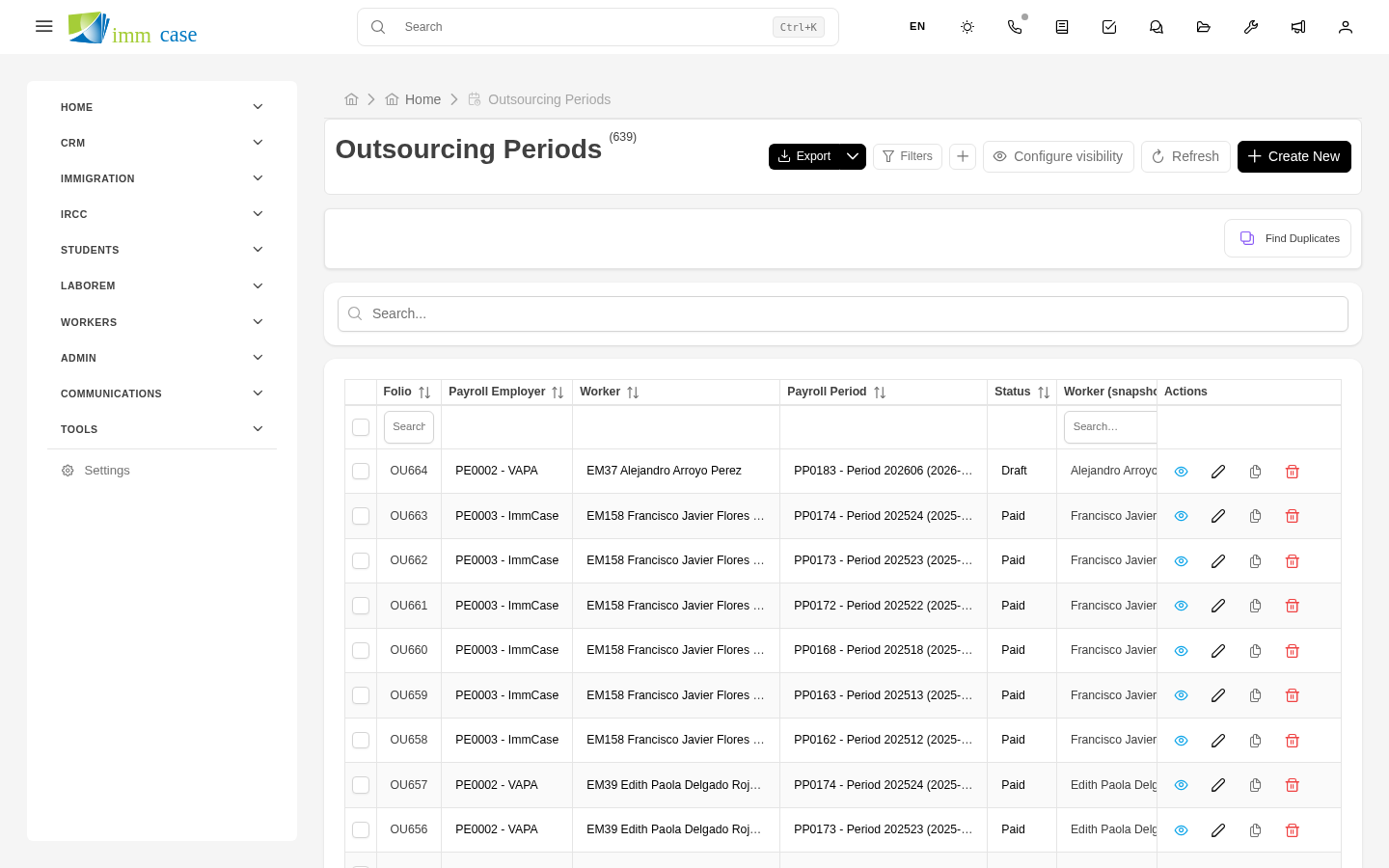
Outsourcing periods
A period represents an interval of a worker's employment at a client company:
- Worker (Applicant).
- Client company (Company).
- Start date and end date of the period.
- Rate (hourly, weekly, monthly).
- Hours worked or days worked.
- Gross total.
- Deductions (CPP, EI, taxes).
- Net total paid to the worker.
Each period is a record in the module. The same worker can have several consecutive or parallel periods at different companies.
Generate paystub (PDF538)
For each pay period (typically bi-weekly or semi-monthly):
- Open the outsourcing period.
- Generate paystub button.
- ImmCase uses the PDF538 (paystub) template and generates the PDF with:
- Worker and company data.
- Period covered.
- Hours, rate, totals.
- Deduction breakdown.
- PDF is saved in the worker's folder → Documents/Paystubs/.
- Automatically emailed to the worker (if configured).
T4 generation at fiscal close
At the start of the year (typically January-February), your practice must generate T4 slips for every worker who had employment the previous year. Laborem automates this process:
- Sidebar → T4 slips → Generate T4 by year.
- Fill in:
- Fiscal year (for example, 2025).
- Employer (your practice or issuing entity).
- Mode: simulation or production.
- ImmCase queries all outsourcing periods for the year, sums per worker, calculates withheld taxes.
- Generates a T4 slip per worker using the PDF539 template.
- Each T4 stays in the T4 slips module and in the worker's folder.
- Option to send to CRA (Canada Revenue Agency) via standard electronic file.
Simulation mode (dry-run)
Before generating T4s "in production" (officially), run simulation:
- ImmCase computes without saving.
- Shows you a summary: how many T4s, aggregate totals, possible errors.
- If all looks good, you run again in production mode.
This is critical — incorrect T4s create cleanup work with CRA later.
Compare T4s year over year
The T4s by year report shows:
- Total issued in T4s per year.
- Number of T4 workers.
- Comparison to previous years.
Useful to detect anomalies (why does this year have 30% more T4s than last? Does it match more real workers or duplicates?).
Watch out for
- CRA has strict deadlines. T4s must be generated and sent to CRA before the last day of February of the following year. Arriving late generates fines. Schedule generation with time to spare.
- T4 errors are corrected with amended T4. If you spot an error after submitting, don't edit the original T4 — generate a correcting one and mark it as amended. ImmCase supports this.
- PDF538 and PDF539 templates are legally sensitive. Don't modify these templates unless you understand the CRA format. Ask your administrator before changing.
- Deleted outsourcing period = orphan paystub. Don't delete periods without checking that already-issued paystubs don't become inconsistent.
Where to next
- Part 8 (Appendix) — glossary, shortcuts, FAQ.
- PDF templates (creation) — for PDF538/PDF539 maintenance.