SMTP configuration
Why this matters
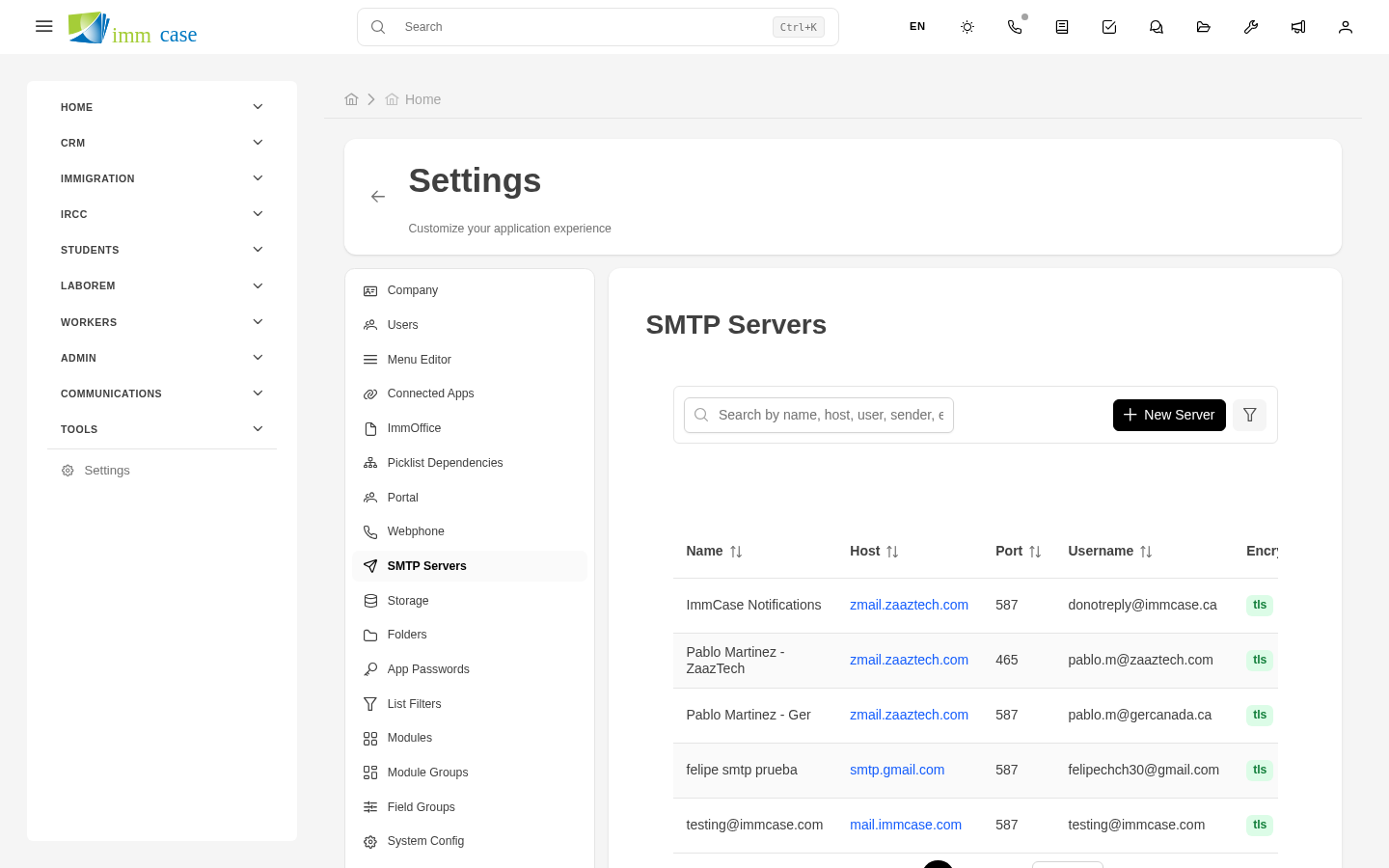
SMTP is the protocol ImmCase uses to send emails. Without well-configured SMTP, emails don't go out, land in spam, or the client receives messages from a generic address that isn't your practice's. This page explains how to configure one or several outgoing SMTP servers.
Create an SMTP configuration
- Sidebar → Settings → SMTP → Create.
- Fill in:
- Internal name ("Main SMTP", "Notifications account").
- Server (
smtp.yourcompany.ca,smtp.sendgrid.net,smtp.gmail.com, etc.). - Port (typically 587 with STARTTLS, or 465 with SSL).
- User and Password of the SMTP account.
- Encryption (TLS or SSL).
- From email — what address the email comes from.
- From name — how the "From" appears in the client.
- Test connection — ImmCase tries to connect and sends a test email.
- Save.
Multiple SMTP accounts
ImmCase supports several simultaneous SMTP configurations. Useful for:
- Separating transactional emails (automated notifications) from consultant emails (person to client).
- Different accounts per language — one SMTP for Spanish emails, another for English.
- Redundancy — if your primary SMTP fails, ImmCase retries with the secondary.
Mark one as default for flows that don't specify which to use.
Domain configuration
For emails not to go to spam, your IT administrator (or hosting provider) must configure:
- SPF (authorizes the SMTP server to send on behalf of the domain).
- DKIM (cryptographic signature of the email).
- DMARC (policy of what to do if SPF/DKIM fail).
These are DNS records — not configured in ImmCase, but in your domain's DNS panel. Essential for your emails to reach the client and not the spam folder.
Diagnose delivery problems
If emails don't go out:
- ImmCase keeps a delivery log. The SMTP's History tab shows failures with error messages.
- Common errors:
- Authentication failed — wrong username or password.
- Connection refused — wrong port or server.
- Recipient rejected — the recipient's email bounces (mailbox full, address doesn't exist).
- Test manually with the SMTP's Test tab.
Watch out for
- SMTP passwords are encrypted in the DB — but recoverable by administrators. Treat credentials with care.
- Some providers cap daily sends (Gmail: ~500/day). If your practice sends more, you need a professional provider like SendGrid, Postmark, or Amazon SES.
- Don't use your personal Gmail as SMTP. It ends up banned by Google when it detects atypical use, and every institutional email stops going out.
Where to next
- Storage configuration — next in system configuration.
- Email templates (creation) — what gets sent via SMTP.